Kastar ljus över framgång: Din ultimata guide till ett produktivt arbetsflöde för kontorsbelysning

Känner du någonsin att din arbetsplats i tysthet konspirerar mot din produktivitet? Den där irriterande huvudvärken vid 15-tiden, kisandet mot skärmen, eller den allmänna känslan av "usch" när du sätter dig ner för att jobba? Chansen är stor att din belysning är en stor bov i dramat. Dålig kontorsbelysning är inte bara en mindre olägenhet; det är en tyst sabotör av fokus, energi och allmänt välbefinnande. Blänk från din skärm, mörka hörn som anstränger dina ögon, eller det där hårda, oinbjudande lysrörsbrummet – det är inte bara irritationsmoment. De ackumuleras till trötthet, misstag och en arbetsplats som bokstavligen arbetar emot dig.
Men här är den strålande nyheten: att förvandla din belysningsmiljö kräver ingen totalrenovering eller en enorm budget. Det kräver ett strukturerat, intelligent arbetsflöde. Tänk på det som en strategisk handbok för belysning. Det handlar inte om att köpa den tjusigaste nya lampan (även om vi älskar dem!). Det handlar om ett metodiskt tillvägagångssätt: bedöma, planera, utföra och verifiera. Det är precis vad vi kommer att guida dig igenom idag – en omfattande, steg-för-steg-guide för att lyfta din arbetsplats från en dämpad energitjuv till en ljust upplyst fyr av produktivitet. Nu kör vi!
Innehållsförteckning
- Vad du behöver innan du börjar: Bedömning av din kontorsbelysnings grundnivå
- Steg-för-steg-arbetsflöde: Från planering till armaturval
- Hantera bländning, arbetsstationslayout och användarkontroll
- Ta in dagsljus: Automatisering, skörd och verifiering
- Varför de flesta arbetsflöden för kontorsbelysning brister (och vad som verkligen betyder något)
- Uppgradera din arbetsplatsbelysning på ett smart sätt
- Vanliga frågor och svar
Viktiga insikter
| Punkt | Detaljer |
|---|---|
| Bedöm din grundnivå | Börja med en noggrann utvärdering av utrymmet och anpassade mål för varje område för att lägga grunden för en effektiv belysningsplan. Hoppa inte över detta! |
| Följ ett arbetsflöde | Anta en steg-för-steg-process som täcker bedömning, skiktad design och armaturval för tillförlitliga, anpassningsbara resultat. Det är en resa, inte ett enskilt köp. |
| Förebygg bländning och förbättra kontrollen | Placera arbetsstationer och armaturer noggrant, och lägg till personliga belysningskontroller för att minimera obehag och öka komforten. Stärk dina ögon! |
| Automatisera och verifiera | Använd automatisk dagsljus- och närvarokontroll, men testa alltid regelbundet för att säkerställa att de faktiskt fungerar som avsett. Ställ in och glöm... nästan. |
| Tänk bortom armaturer | Sann belysningskvalitet drivs av layout, användarkontroll och löpande verifiering, inte bara produktspecifikationer eller inköp. Ditt utrymme är dynamiskt! |
Vad du behöver innan du börjar: Bedömning av din kontorsbelysnings grundnivå
Innan du rör en enda armatur eller beställer en enda glödlampa behöver du en ärlig, detaljerad bild av var din arbetsplats står just nu. Detta är det steg de flesta helt hoppar över, och det är just därför så många belysningsuppgraderingar blir en besvikelse. En bedömning av hemmakontorsbelysning är inte bara en preliminär formalitet – det är grunden som gör varje efterföljande beslut skarpare och mer effektivt. Utan den gissar du bara, och inom belysning leder gissningar ofta till mer bländning, inte mindre.
Ett effektivt tillvägagångssätt, som belysningsproffs konsekvent bekräftar, börjar med att definiera mål och användning per område innan utrymmet utvärderas. Detta innebär att man tar hänsyn till dagsljuset, takhöjden och ytornas reflektionsförmåga, och *sedan* väljer dina belysningslager. Denna sekvens är oerhört viktig. Att hoppa direkt till armaturval utan detta avgörande sammanhang är som att ordinera glasögon före en synundersökning – du kanske får något, men det är osannolikt att det är den perfekta passformen.
Här är vad din initiala granskning bör omfatta i detalj:
- Naturliga ljuskällor: Solens roll. Var sitter fönstren i förhållande till arbetsstationerna? Skapar direkt solljus bländande reflexer på skärmar vid specifika tider på dagen? Finns det några hinder utanför fönstret? Notera väderstrecket för varje fönster – nordvända fönster ger ett jämnt, mjukt ljus, medan sydvända fönster ger intensivt, direkt solljus.
- Inventering av konstgjord belysning: Vad finns redan? Vilka typer av armaturer är för närvarande installerade (t.ex. föråldrade lysrör, moderna LED-paneler, infällda spotlights, pendellampor, skrivbordslampor)? Notera deras positioner, spridningsvinklar (hur brett ljuset sprids) och allmänna skick (flimrar, brummar eller är de bara gamla?). Identifiera wattstyrka och glödlampstyp om möjligt.
- Problemområden: Mörkt och bländande. Här spelar du detektiv. Identifiera ständigt mörka hörn, områden med flimrande ljus, och särskilt ytor där bländning syns på skärmar (både direkt bländning från armaturer och reflekterad bländning från ytor). Glöm inte övergångszoner som korridorer eller entréer som kan vara för ljusa eller för mörka.
- Inkonsekvenser i färgtemperatur: Stämningsdödaren. Att blanda kalla, blåvita ljuskällor (som 5000K LED) med varma, orangevita (som 2700K glödlampor) i samma utrymme skapar visuell obehag utan att de flesta någonsin inser varför. Det kan få ett rum att kännas osammanhängande och oroande. Leta efter dessa krockar.
- Takhöjd och ytreflktionsförmåga: De osjungna hjältarna. Höga tak absorberar mer ljus, vilket kräver kraftfullare armaturer eller mer strategisk placering. Mörka väggar, golv och möbler reflekterar mindre ljus, vilket effektivt "äter" ljusflödet och får rummet att kännas mörkare. Ljusa ytor kan däremot hjälpa till att studsa ljuset runt och ljusa upp ett utrymme.
Belysningsmål per område: Hur ljust är lagom?
Belysningsstyrka – mätt i lux (lumen per kvadratmeter) eller foot-candles (lumen per kvadratfot) – är ditt primära prestandamått. Att sätta områdesspecifika mål, istället för att tillämpa ett enda nummer över hela kontoret, är den professionella standarden. Som en ledande källa noterar, riktmärkesmål varierar beroende på uppgiftstyp, så kontorschefer bör sätta belysningsmål område för område snarare än att förlita sig på en enda lux-siffra. Olika uppgifter kräver olika ljusnivåer för optimal prestanda och komfort.
| Område | Minimum lux (efterlevnad) | Rekommenderat lux (produktivitet) |
|---|---|---|
| Allmänna kontorsytor | 300 lux | 400 lux (för omgivande komfort) |
| Uppgifts-/skrivbordsarbete | 300 lux | 500 lux (för detaljerade visuella uppgifter) |
| Mötesrum | 300 lux | 400 lux (justerbart för presentationer vs. samarbete) |
| Pausrum | 150 lux | 200 lux (för avkoppling och avslappnad interaktion) |
| Korridorer/cirkulation | 100 lux | 150 lux (för säker rörelse) |
Proffstips: Vill du mäta dina nuvarande luxnivåer? Ladda ner en gratis luxmätarapp till din smartphone och ta avläsningar vid middagstid (med fullt dagsljus, alla lampor tända) och igen efter solnedgången (endast konstgjord belysning, alla lampor tända). Denna metod med två ögonblicksbilder avslöjar omedelbart vilka zoner som är starkt beroende av dagsljus och vilka som underpresterar efter mörkrets inbrott, vilket ger konkreta data för din planering.
Steg-för-steg-arbetsflöde: Från planering till armaturval
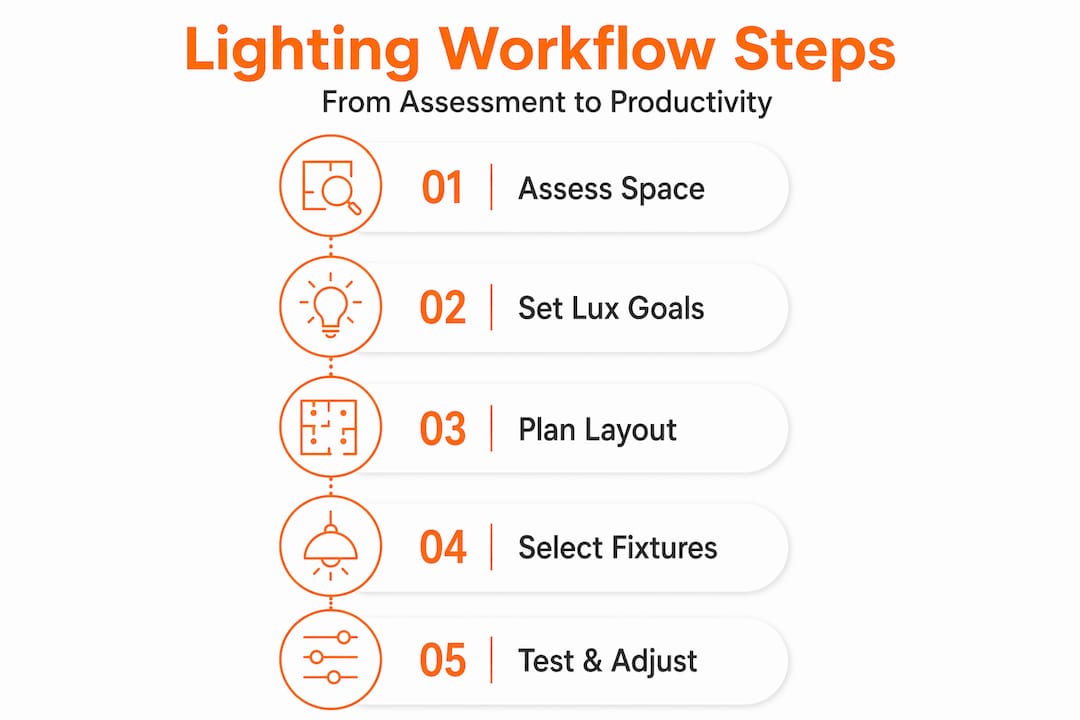
Med en tydlig, datadriven bedömning klar är du redo att gå igenom det exakta arbetsflöde som professionella belysningsdesigners använder i varje projekt. Detta är ingen gissningslek – det är en repeterbar, pålitlig sekvens designad för optimala resultat. Tänk på din optimering av arbetsplatsbelysning som ett designprojekt med distinkta faser, där varje fas bygger logiskt på den föregående. Att hoppa över ett steg är som att försöka bygga ett hus utan grund.
Den professionella metodiken följer en strukturerad belysningsdesignsekvens: konsultation, arkitektonisk och miljöanalys, konceptutveckling genom skiktning, teknisk planering inklusive luxberäkning, armaturspecifikation, installationskoordinering samt slutlig inriktning, ljusstyrkajustering och scenprogrammering. Här är hur det översätts till praktiska, handlingsbara steg för både kontorschefer och distansarbetare:
-
Definiera områdesspecifika mål (”Varför”). Innan du ens tänker på *vad* för ljus, fundera på *varför* du behöver det. Vad är varje utrymme optimerat för? En videokonferensbås behöver annorlunda belysning (mjuk, framåtriktad, bländfri) än ett ritbord (ljus, jämn, hög-CRI arbetsbelysning) eller en samarbetsyta (flexibla, varmare toner). Produktivitetsutrymmen drar generellt nytta av ljusare, svalare ljus (4000K till 5000K CCT) för att öka vakenheten, medan avkopplings- eller pausytor drar nytta av varmare, mjukare toner (2700K till 3000K) för att främja komfort.
-
Utför arkitektonisk och dagsljusanalys (”Var”). Detta bygger på din grundbedömning. Gå igenom utrymmet vid olika tider på dagen och observera hur ljus (både naturligt och konstgjort) interagerar med arkitekturen. Notera var solljuset kommer in, var skuggor naturligt faller och hur byggnadens struktur kanaliserar eller blockerar naturligt ljus. Detta informerar direkt om var du placerar kompletterande armaturer och hur du hanterar persienner eller gardiner. Överväg säsongsmässiga förändringar i solens bana.
-
Utveckla ditt skiktade belysningskoncept (”Hur”). Skiktad belysning (allmänbelysning, arbetsbelysning och accentbelysning) är den professionella standarden för kontorsmiljöer och citeras upprepade gånger som den praktiska grunden för effektiv arbetsplatsdesign. Den erbjuder flexibilitet och djup.
- Allmänbelysning: Den allmänna belysningen som fyller rummet och förhindrar skarpa kontraster. Tänk infälld belysning, takpaneler eller indirekt uplight.
- Arbetsbelysning: Fokuserat ljus riktat mot specifika arbetsytor, avgörande för att minska ögonansträngning. Detta är din skrivbordslampa, under skåpsbelysning eller justerbara golvlampa.
- Accentbelysning: Lägger till djup, visuellt intresse och framhäver arkitektoniska detaljer eller konstverk. Vägglampor, spotlights eller tavelbelysning faller inom denna kategori.
-
Beräkna luxnivåer (”Hur mycket”). Nu till siffrorna! Använd gratis online lux-kalkylatorer eller, för större projekt, professionell belysningsprogramvara för att uppskatta hur många armaturer du behöver, med vilken wattstyrka och lumenutgång, för att nå dina målbelysningsnivåer för varje zon. Detta steg är avgörande för att förhindra både överdriven belysning (som leder till bländning och obehag) och underbelysning (som orsakar ansträngning och trötthet).
-
Specificera armaturer efter CRI och CCT (”Vilken typ”). Det är här de tekniska detaljerna kommer in i bilden.
- Färgåtergivningsindex (CRI): Mäter hur noggrant en ljuskälla återger färger jämfört med naturligt solljus. För detaljarbete, grafisk design eller andra uppgifter där färgprecision är viktig, är en CRI på 90 eller högre idealisk. Lägre CRI kan få färger att se matta eller förvrängda ut.
- Färgkorrelerad temperatur (CCT): Mätt i Kelvin (K), driver CCT den psykologiska tonen i utrymmet. Som nämnts, välj medvetet: 4000K-5000K för alert, fokuserat arbete; 2700K-3000K för avslappnade, varma miljöer. Undvik att blanda drastiskt olika CCT i samma synfält.
-
Koordinera installationen (”Få det att hända”). Planera den exakta placeringen av armaturer innan du beställer eller installerar. Överväg praktiska aspekter: kabelhantering, kompatibilitet med taksystem, monteringsdetaljer och åtkomst för underhåll. En armatur som är tekniskt perfekt men felplacerad kommer fortfarande att skapa bländning, skuggor eller mörka fläckar. Se till att elkapaciteten är tillräcklig och att dimmers är kompatibla med dina valda LED-armaturer.
-
Justera och förfina efter installation (”Den sista touchen”). Installationen är inte slutet; det är början på optimeringen. Rikta riktade armaturer exakt dit ljuset behövs. Programmera dimmerscenarier för olika aktiviteter (t.ex. "fokusläge", "presentationsläge", "paus"). Utför en levande genomgång vid olika tider på dagen och under olika förhållanden (t.ex. soligt, mulet) för att säkerställa att systemet fungerar som avsett innan projektet anses vara slutfört. Samla feedback från användare.
Armaturjämförelse: Viktiga specifikationskriterier
När du är redo att välja faktiska lampor och armaturer är detta de kritiska siffrorna att leta efter:
| Specifikation | Varför det spelar roll | Idealisk kontorsintervall |
|---|---|---|
| CRI (Färgåtergivningsindex) | Noggrannhet i färgåtergivning; högre siffror innebär att färger framstår som mer naturliga och levande. | 90+ för arbetsytor; 80+ för allmän omgivande belysning. |
| CCT (Färgtemperatur) | Psykologisk ton och vakenhet; påverkar humör och dygnsrytm. | 4000K till 5000K för skrivbord och aktivt arbete; 2700K till 3500K för paus-/loungutrymmen. |
| Spridningsvinkel | Ljusets spridning och täckning; smala strålar för spotlights, breda strålar för floodlights. | 60° till 120° för allmänna ytor; smalare (t.ex. 25-45°) för accent- eller specifik arbetsbelysning. |
| Dimbarhet | Användar- och energikontroll; möjliggör justering efter personlig preferens och uppgift. | Krävs för alla arbetslampor; rekommenderas starkt för omgivande lager. Leta efter "mjuk dimring" för att undvika flimmer. |
| Lumenutgång | Rå ljusstyrka från ljuskällan; bestämmer hur mycket ljus som produceras. | Matchas med luxberäkning för önskad belysningsstyrka; undvik överdriven belysning. |
| UGR (Unified Glare Rating) | Mäter obekväm bländning; lägre siffror indikerar mindre bländning. | Typiskt <19 för kontorsmiljöer, särskilt nära skärmar. |
Proffstips: Planera din kontrollstrategi – dimbarhet, närvarosensorer, förinställda scener, smart hemintegration – *innan* du väljer armaturer. Att eftermontera kontroller efter installation är dyrt, ofta ofullständigt och mindre effektivt. Specificera det från dag ett, med hänsyn till både individuell användarkontroll och övergripande energihantering.
Hantera bländning, arbetsstationslayout och användarkontroll
Även ett perfekt specificerat belysningssystem med idealisk CRI och CCT kommer att misslyckas om arbetsstationerna är dåligt arrangerade i förhållande till armaturerna ovanför dem. Bländning är det vanligaste klagomålet inom kontorsbelysning, och det är nästan alltid ett placeringsproblem, inte enbart ett produktproblem. Att åtgärda det är ett kritiskt arbetsflödessteg, inte en eftertanke. Det handlar om hur ljuset interagerar med dina ögon och dina skärmar.
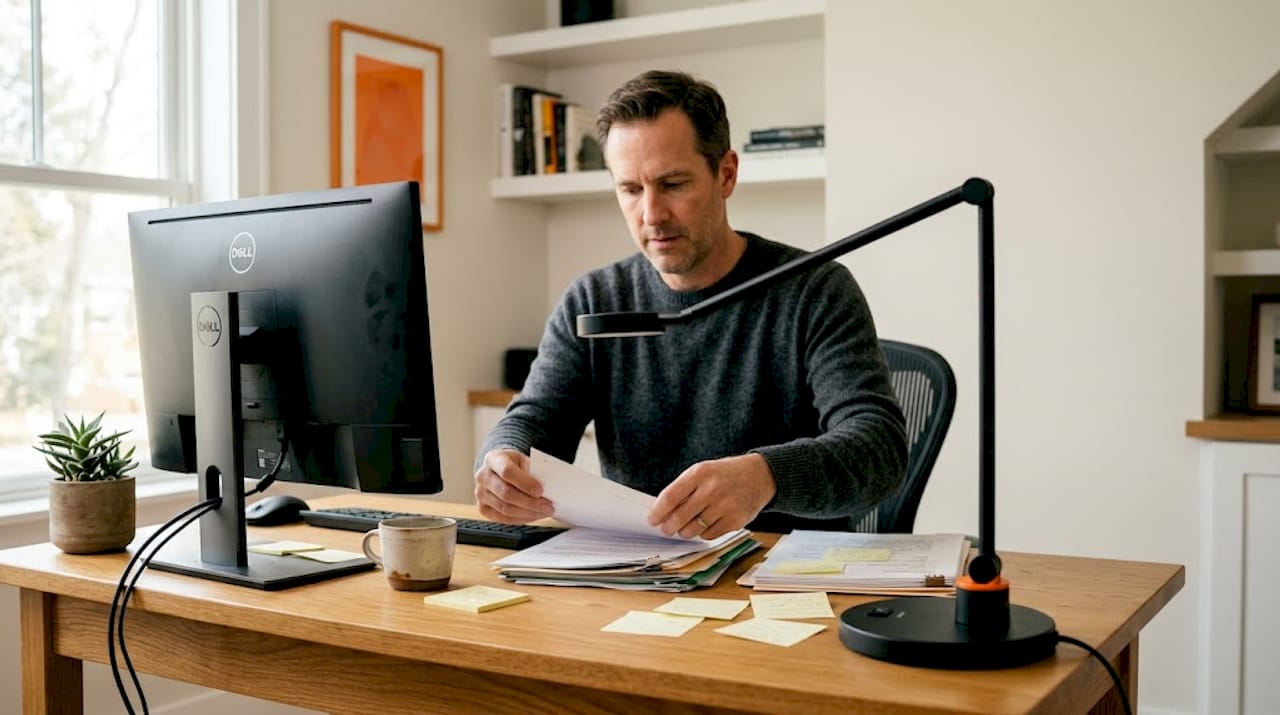
Reflekterad bländning från skärmbaserade arbetsstationer minskas direkt av hur du placerar armaturer i förhållande till arbetsstationer – skärmar bör aldrig sitta direkt under armaturer som koncentrerar högt ljusflöde nedåt mot skärmytan. Detta skapar skarpa hotspots som anstränger ögonen och bleker ut skärminnehållet. Direkt bländning från fönster eller oskyddade armaturer är lika problematiskt.
Praktiska strategier för bländningshantering inkluderar:
- Omorientera arbetsstationer: Detta är ofta den billigaste och mest effektiva lösningen. Placera bildskärmar så att de är vinkelräta mot fönster (sidan mot) snarare än direkt mot eller bort från dem. Detta minimerar både direkt solljusbländning och reflekterad himmelsbländning.
- Flytta takarmaturer: Om möjligt, arrangera om eller välj armaturer så att deras primära ljusutgång faller på skrivbordsytan, inte direkt på bildskärmen eller in i användarens ögon. Överväg armaturer med diffusorer eller paraboliska lameller för att mjuka upp och rikta ljuset.
- Använd indirekta eller semi-indirekta armaturer: För allmänbelysning, överväg armaturer som studsar ljuset mot tak och väggar. Detta skapar en mjukare, jämnare belysning som minskar skarpa nedåtriktade hotspots och minimerar bländning.
- Omfamna arbetsbelysning: Använd en guide för arbetsbelysning: använd ledade skrivbordslampor eller golvlampor som låter varje person rikta ljuset exakt dit de behöver det, med den intensitet de föredrar, istället för att enbart förlita sig på takbelysning. Detta ger kontrollen i användarens händer.
- Använd antireflexskärmar och fönsterbehandlingar: När omplacering inte är möjlig, kan högkvalitativa antireflexskärmar på bildskärmar hjälpa. För fönster, överväg persienner, rullgardiner eller till och med strategiskt placerade skira gardiner för att diffusera naturligt ljus utan att helt blockera det.
“Arrangemang av skärm/arbetsstation kan bidra till att begränsa reflekterad bländning. Lämna inte skärmar direkt under armaturer med högt ljusflöde riktat koncentrerat nedåt.”
Användarkontroll är lika kraftfull, ofta förbisedd och otroligt stärkande. När användare enkelt kan justera